Content Management and Strategist
Shwetha
Emerson
Kamalesan
12+ years of experience in content management and technical writing for enterprise software products across fintech, healthcare, IT, and edtech.
I create compelling product narratives, technical documentation, and go-to-market assets that help businesses educate, engage, and grow.

01 — Content-led Growth
Content Strategy & Growth
12 years of building SEO and GEO optimized content systems that help enterprise SaaS products get discovered, understood and adopted.
Brand Strategy & Product Marketing
- Product Positioning
- Brand Messaging
- Product Narratives
- Taglines
- Value Proposition Development
- Go-to-Market (GTM) Messaging
- Launch Messaging
Website & Content Marketing
- Website Content
- Landing Pages
- Blogs
- Whitepapers
- Case Studies
- Newsletters
- Knowledge Base Content
Executive & Corporate Content
- Executive Ghostwriting
- LinkedIn Thought Leadership
- Speaker Scripts
- Press Releases
- Corporate Announcements
Campaigns & Demand Generation
- Email Campaigns
- Social Media Campaigns
- Product Launch Campaigns
- Release Campaigns
- Conference & Event Marketing
- Webinar Content
- Lead Nurture Campaigns
Sales & Customer Enablement
- Sales Enablement
- Customer Education
- Academy Content
- Product Videos
- Brochures
- Pitch Deck Content
- Battle Cards
- Sales Playbooks
- FAQs
02 — SEO, GEO & AI Content Optimization
SEO, GEO & AI Content Optimization
SEO Optimization
- Keyword Research
- Search Intent Mapping
- On-page SEO
- Internal Linking Strategy
- Metadata Optimization
- Schema Markup
- Topic Clusters
- Technical SEO Recommendations
GEO (Generative Engine Optimization)
- AI-first Content Strategy
- LLM-friendly Content Structuring
- Semantic Search Optimization
- Entity-based Content Modeling
- Answer-first Content Design
- Citation-friendly Content
- AI Retrieval Optimization
- RAG-ready Documentation
- Knowledge Base Optimization
Content Optimization Techniques
- Content Audits
- Content Gap Analysis
- Competitor Content Analysis
- Readability Optimization
- Information Architecture
- Content Refresh Strategy
- Content Repurposing
- Conversion Rate Optimization (CRO)
- Accessibility (WCAG)
- UX Writing Optimization
SEO & GEO Tools
- SEMrush
- Profound
- Otterly.ai
- Google Search Console
- Google Trends
Analytics & Performance
- Google Analytics 4 (GA4)
- Mixpanel
- CleverTap
03 — Product Documentation
Product Documentation
Documentation isn't a deliverable — it's a product and customer experience. From developer docs and UX microcopy to marketing content and risk communication, every piece I write is designed to answer one question: what does the user need right now, and how do I say it with clarity and precision?
Help Documentation
Comprehensive end-user guides covering feature workflows, edge cases and important notes — authored for readability and easy consumption.
UX Copywriting
In-product microcopy — tooltips, error messages, empty states, onboarding prompts — crafted to reduce friction and guide users to the right action without a support ticket.
Release Notes & Changelogs
Clear, user-focused release communications that translate engineering changes into plain-language benefits — across 100+ major feature releases.
Style Guide Authorship
Authored the writing style guide for standardizing tone, structure, and formatting across microcopy, product docs, and developer documentation.
04 — Developer Documentation
API, SDK &
Developer Guides
Good developer docs aren't written from the outside in. They're built by someone who can read the code, run the API, and understand what a developer needs before they even ask.
With hands-on experience in Python, JavaScript, shell scripting, and CLI tooling, I write documentation that fits how developers actually work — clear, tested, and immediately useful.
API Reference
Endpoint documentation with request/response schemas, authentication flows, and error handling — tested and validated using Postman and Swagger against live APIs.
SDK Guides
Step-by-step integration guides with real code samples, prerequisites, and troubleshooting paths — written for developers, not documentation readers.
“I work closely with engineers throughout the product development life cycle — understanding requirements, validating edge cases, and contributing beyond copy.”
05 — Video Content
Tutorials &
Product Walkthroughs
Some things are better shown than explained. These instructional videos complement the written documentation — screen-recorded walkthroughs, feature demos, and onboarding tutorials designed to reduce the time it takes for users to reach their first win.
Each video is scripted for clarity and paced for comprehension, always centering the user's goal over the interface mechanics.
06 — Content Systems
AI Content Review
Operations
Post-release copy fixes are expensive — they require a code deployment to fix what should have been caught earlier. So I built a tool to catch them before the release.
This internal automation webscrapes the testing build for UI strings and routes them directly to the writing team's workspace for an AI review — where styleguide-aware LLM checks and creates a task for anomalies. This has saved 50% of manual review time and reduced 80% of content errors.
Automated string extraction
Scrapes UI strings from staging builds and sends them to technical writers Google Space for centralized review.
AI review and correction
Evaluates extracted strings using a style guide trained AI model, identifies inconsistencies, and generates improved, standardized copy suggestions.
Pre-release copy QA
Creates structured review tasks with assigned owners, due dates, ensuring validated copy progresses to production.
07 — Figma Plugin
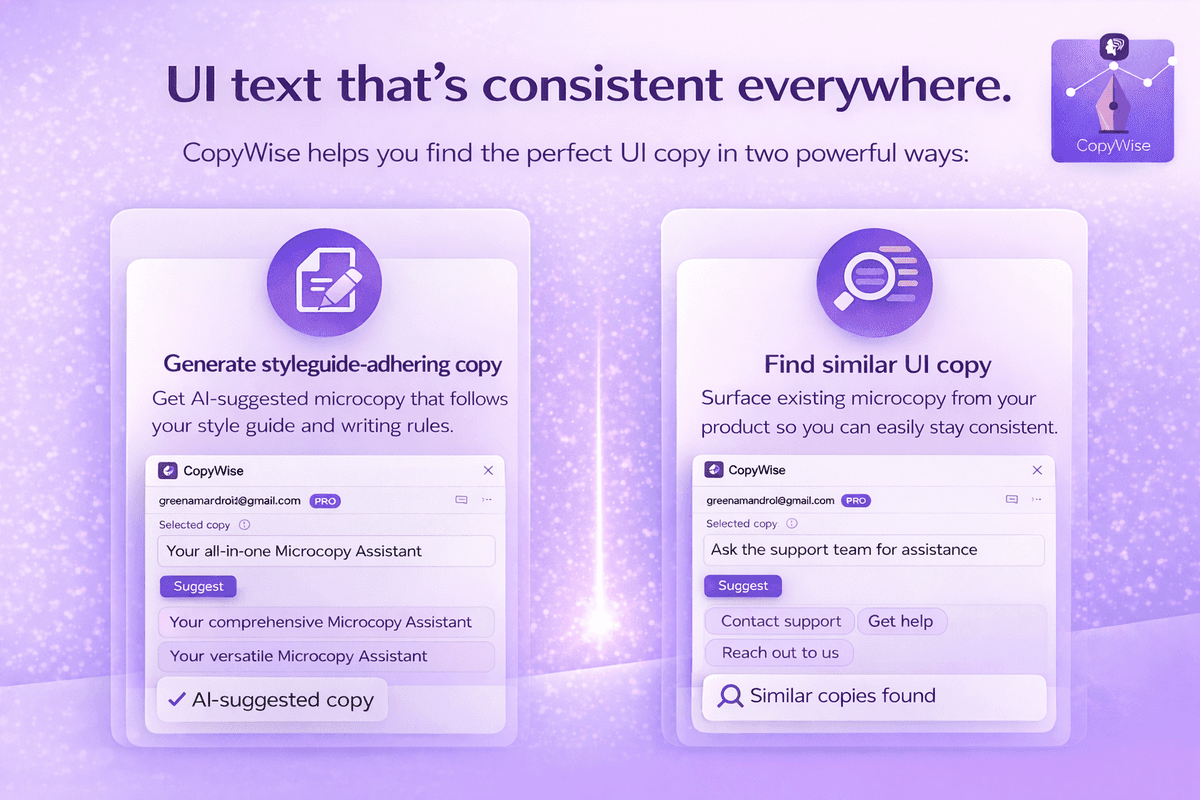
CopyWise
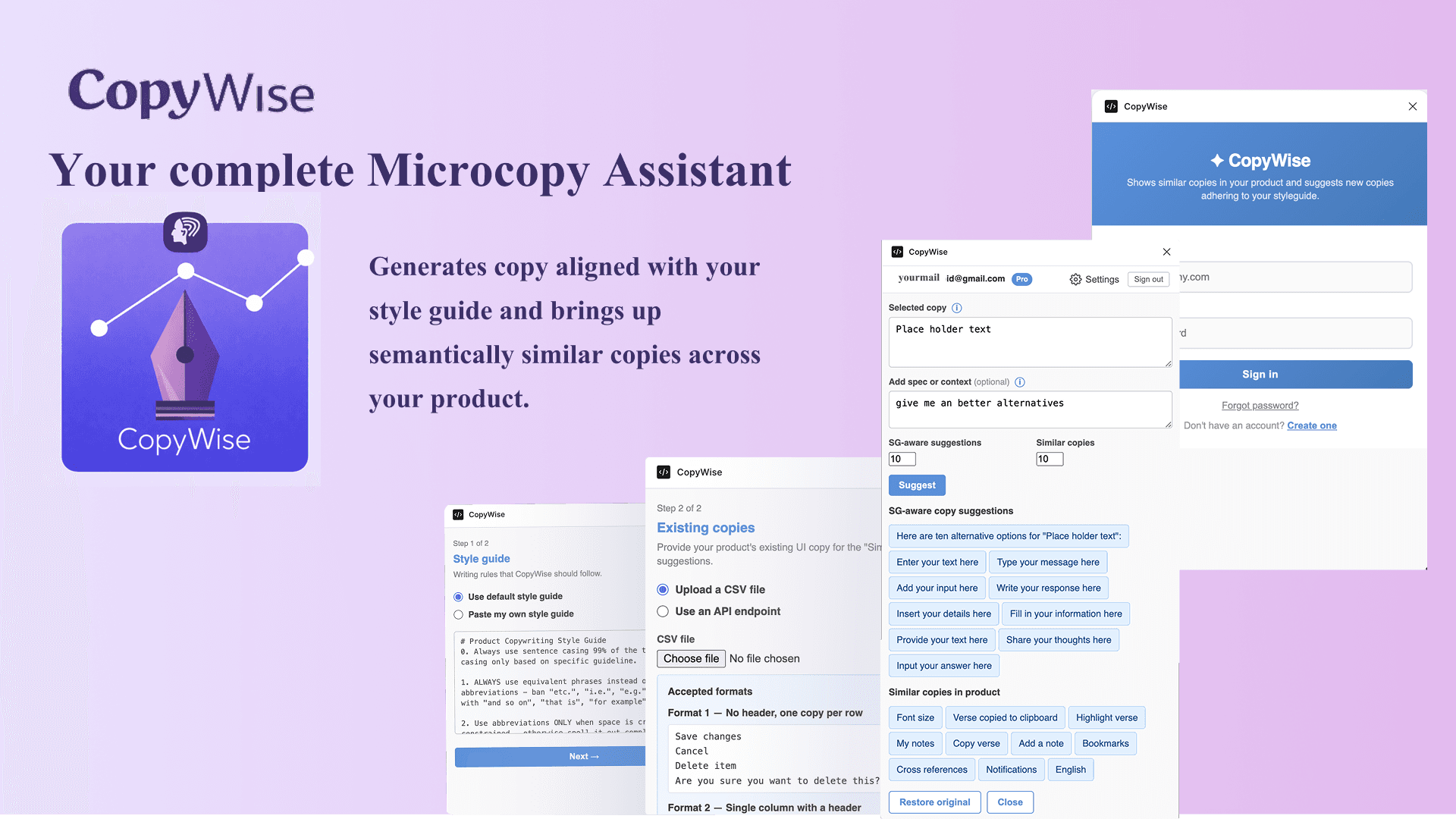
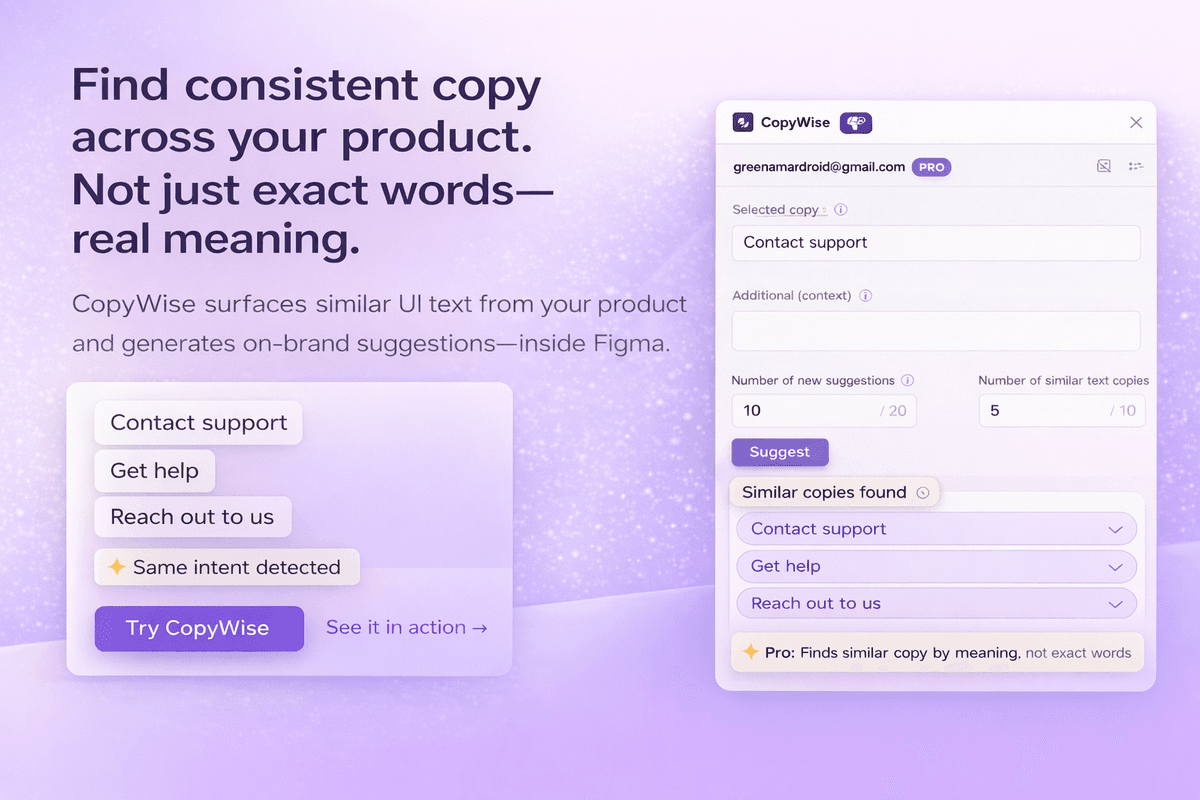
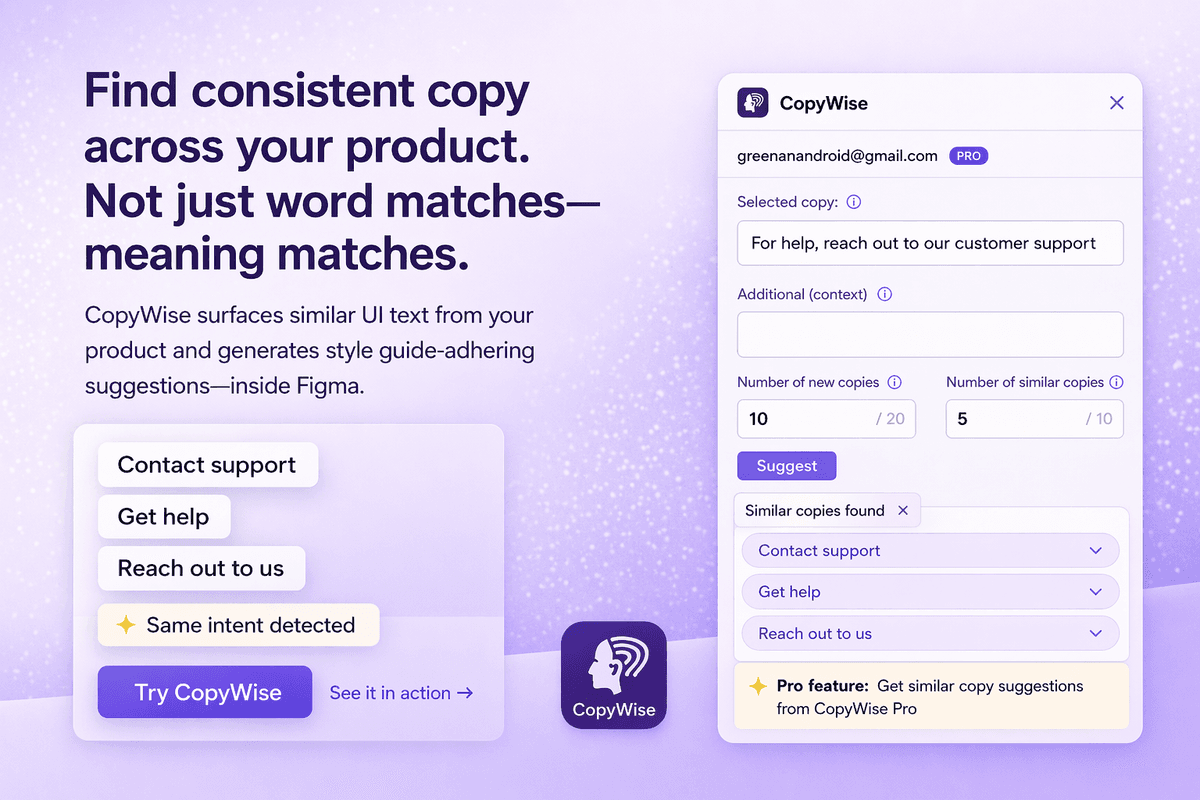
A Figma plugin that gives designers AI-powered copy suggestions following your style guide rules — and surfaces semantically similar strings from your existing product copy, right inside Figma.
Free to install, with no credit card needed — CopyWise brings your style guide, AI, and your entire copy library together at the point of design.
Check it out ↗AI-powered suggestions
Generates content adhering to writing guidelines, also surfaces similar contents already in use — either you keep consistency or evade redundancy, your choice.
Published on Figma Community
Available to the global Figma community — bridging the gap between designers and content writers.
Brand-aware content at the point of design
Helps teams create content for the organization's unique voice and tone — handy as a plugin.
08 — Retrieval Augmented generation
Documentation-Aware
RAG Engine
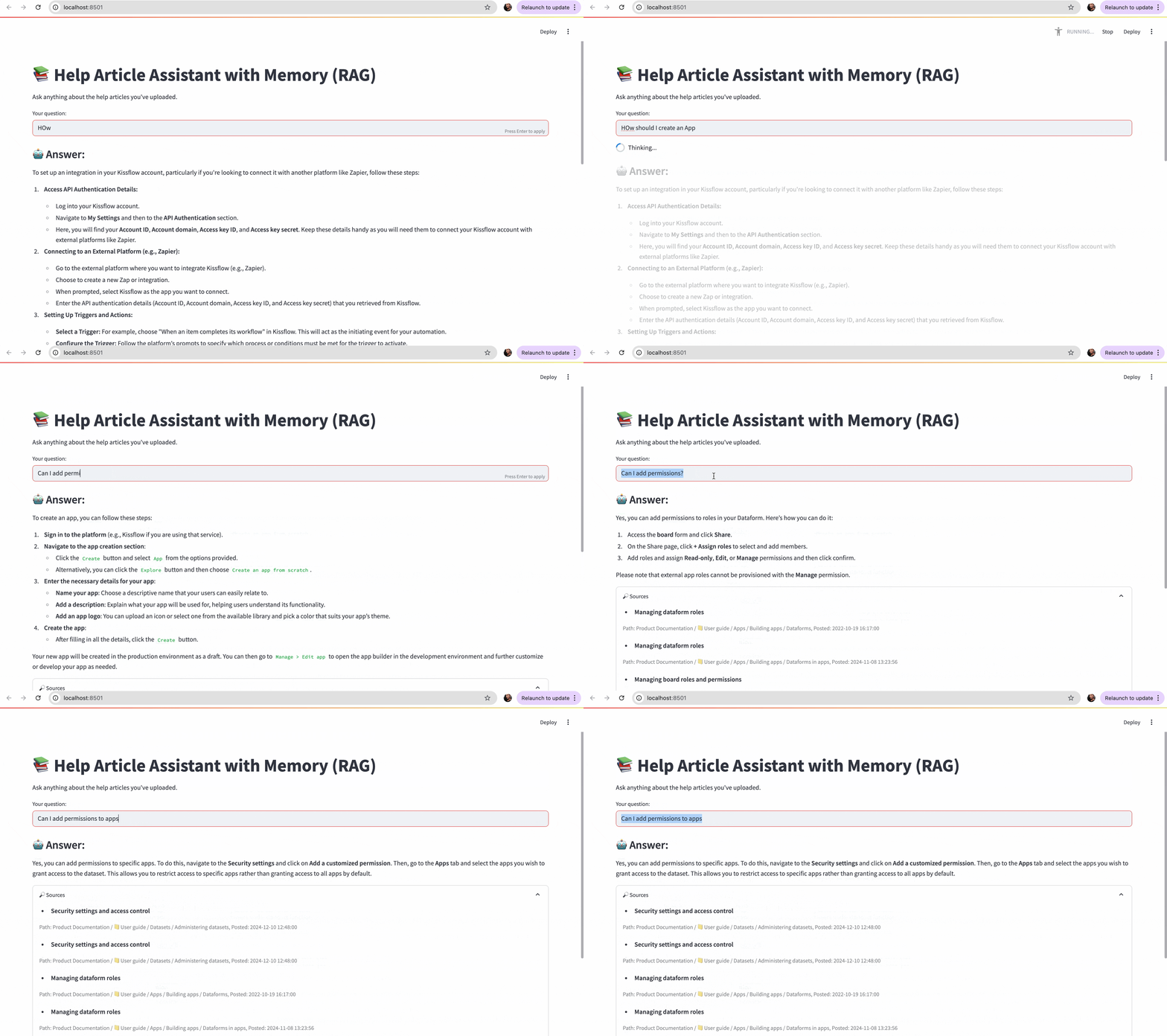
A retrieval-augmented generation chatbot I built independently using LangGraph — trained on live help documentation to give users instant, sourced answers without hallucinating.
Instead of searching through articles, users ask questions in plain language and get direct answers with source citations from the documentation. Built as a practical solution to reduce support ticket volume and make documentation more accessible.